Quick answer
- •Use AI for first draft, not final truth.
- •Validate train times, opening hours, and closures manually.
- •Move approved plan into a shared itinerary URL immediately.
In this guide
Who this is for
- •Travelers who want faster planning without losing quality
- •Group organizers comparing multiple city-route options
- •Users who already use ChatGPT, Gemini, or similar tools
Common mistakes
- •Copying AI output directly into final itinerary without verification
- •Ignoring transfer friction and queue time in crowded zones
- •Keeping AI drafts in chat without converting to execution format
Action checklist
- ✓Generate 2-3 route drafts with clear constraints
- ✓Verify transport, opening days, and reservation requirements
- ✓Publish one validated itinerary URL for the whole group
Sample timeline
| Block | Time | What to do |
|---|---|---|
| Prompting | 30-45 min | Generate multiple route drafts by budget and pace. |
| Verification | 45-90 min | Check timetables, opening days, and reservation rules. |
| Execution | 15-30 min | Convert approved plan into one shared day-by-day itinerary. |
Best role of AI in trip planning
AI is excellent for producing initial options quickly across themes, budgets, and group preferences.
It is weaker at real-time validity, especially schedules and temporary closures.
Validation loop that prevents bad plans
After AI draft generation, run a verification pass with official sites and map results.
This keeps speed high without sacrificing trip reliability.
- •Verify opening days and reservation requirements
- •Verify transport transfer time with realistic buffers
- •Verify price assumptions for high-impact items
Handoff to the group
A plan is only useful when everyone sees the same latest version.
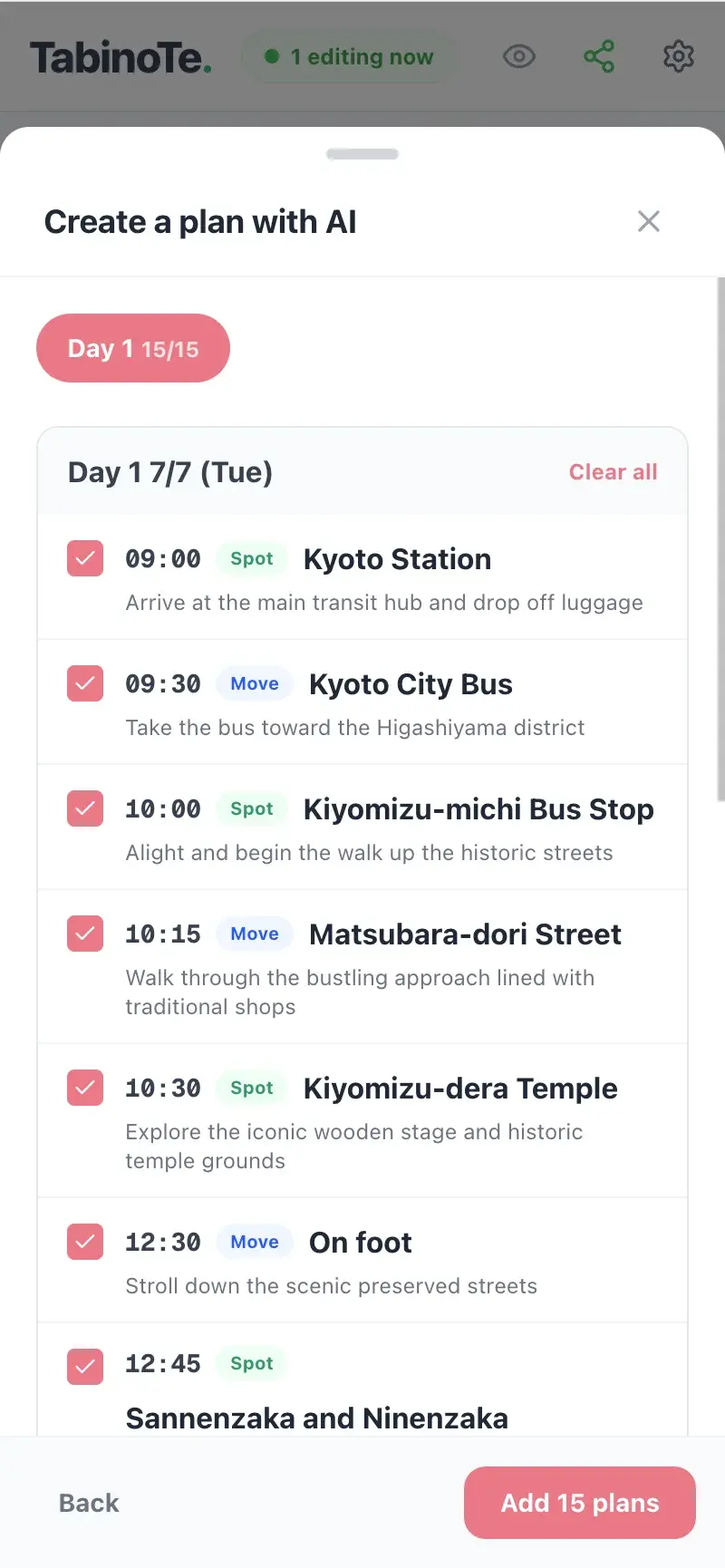
Put the validated plan into one shared itinerary URL and keep updates in one place.
Practical AI workflow template
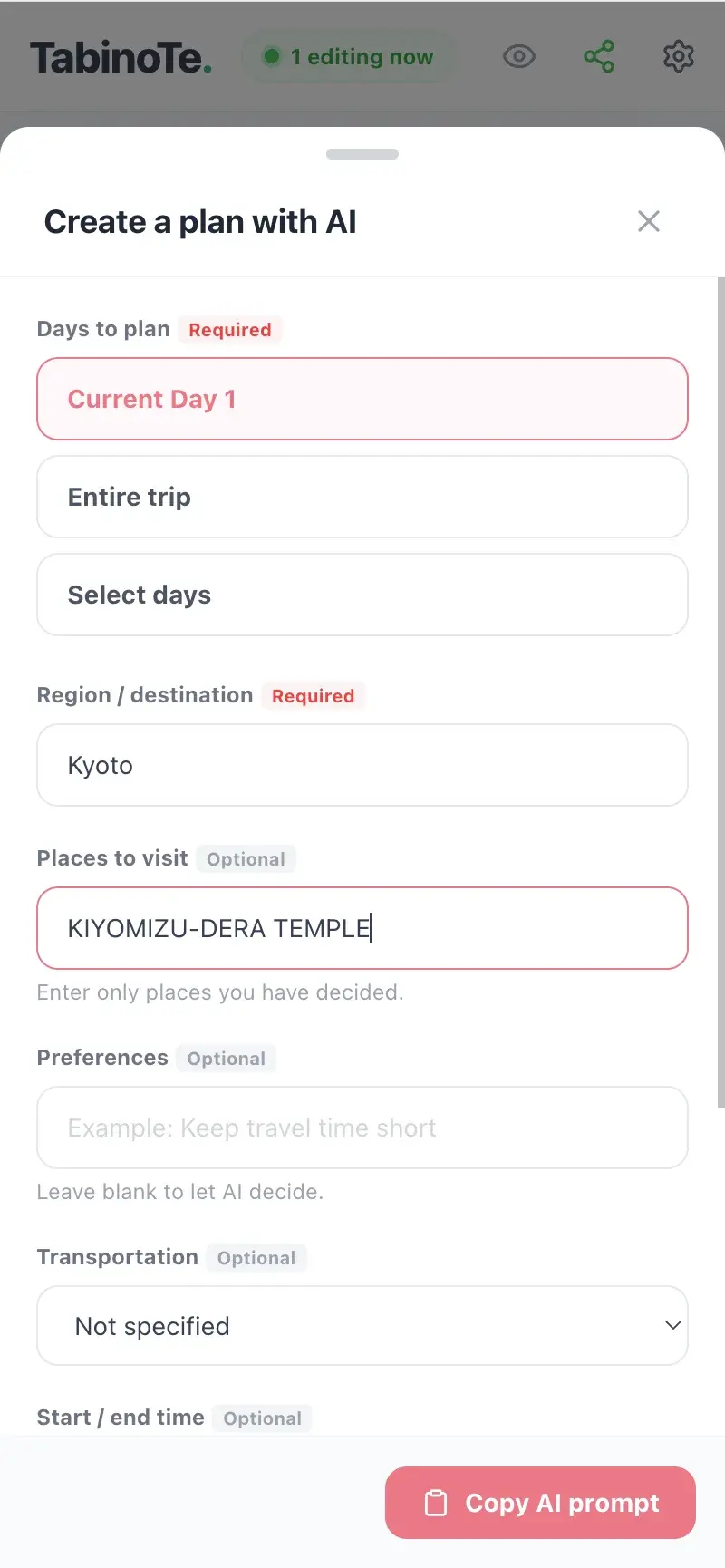
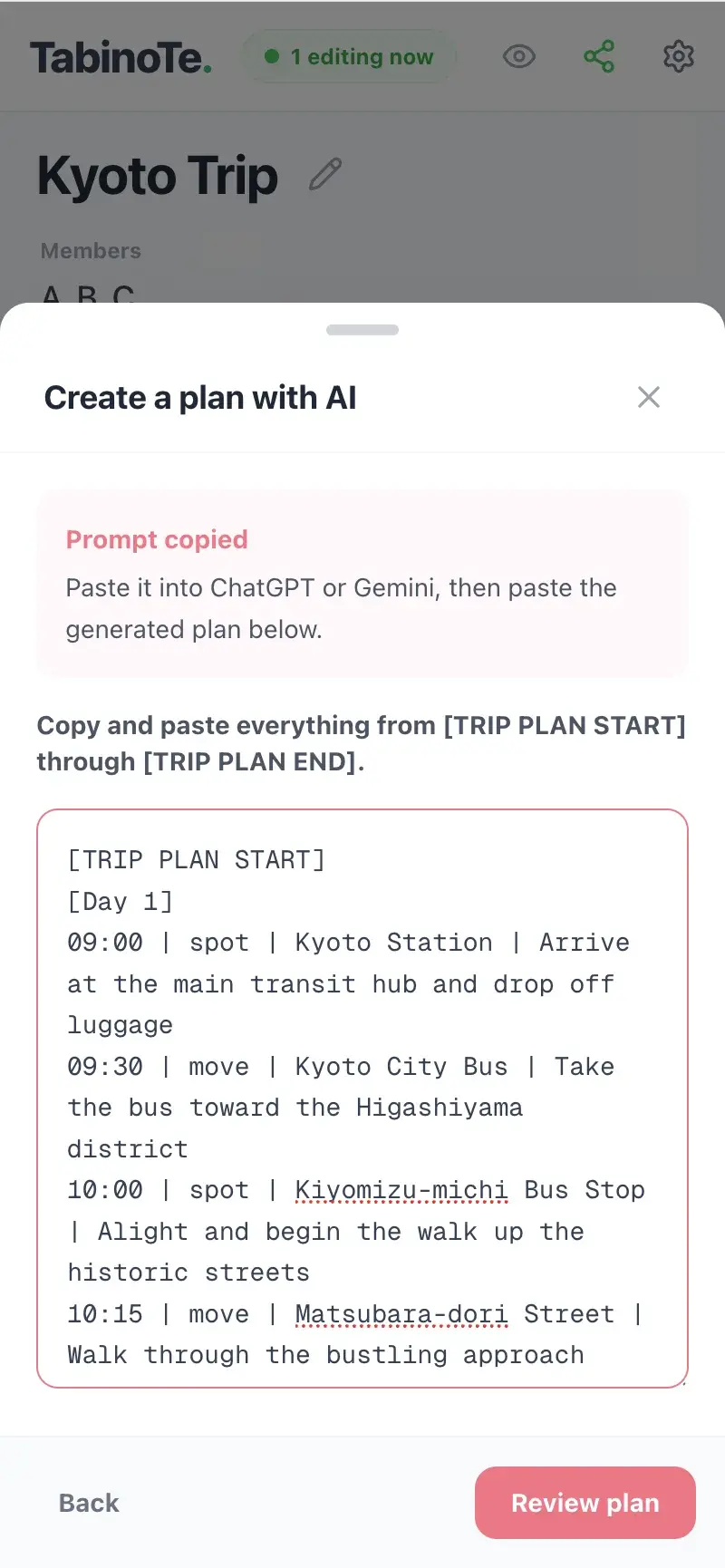
Run AI planning in three passes: draft generation, risk check, and execution formatting.
This keeps creativity and reliability balanced.
- •Pass 1: generate 2-3 route candidates with tradeoffs
- •Pass 2: request impossible-transfer and queue-risk detection
- •Pass 3: output final schedule as day/time blocks with fallbacks
Scope guardrails for reliable AI output
AI quality drops when the prompt scope is too broad for one pass.
Break large trips into city-level modules, then merge only validated blocks.
- •Generate one city/day block at a time
- •Validate each block before combining them
- •Reject any block with unclear transfer feasibility
FAQ
Can AI replace manual planning?
No. It speeds ideation, but final checks are still necessary for real travel decisions.
What should be checked first?
Transport times, opening days, booking requirements, and weather-sensitive spots.
How long should AI-assisted planning take?
For a 2-4 day trip, 1-2 hours is realistic when using a structured draft/verify/ship workflow.
What is the best way to prevent AI over-planning?
Set hard constraints on max stops, movement time, and mandatory buffer slots in the prompt.
Build this plan with your group now
Use one shared link to edit timeline, notes, and split-bill together.
Start planning for freeNo login required · Free forever